
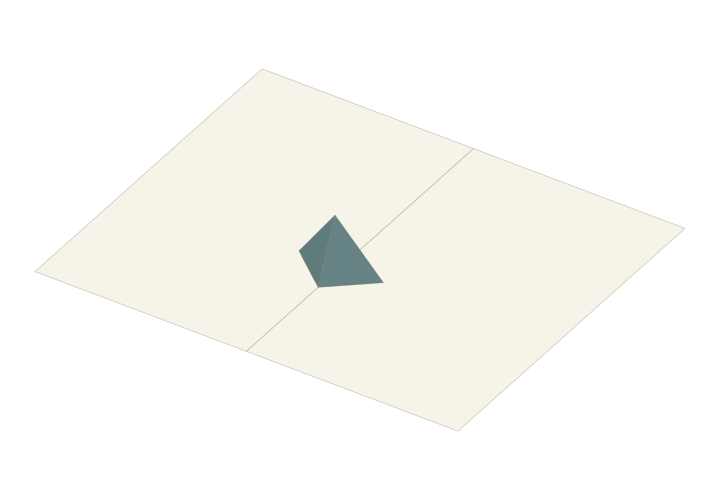
 Default element shape · Place it in the workbench
Symmetric V-fold
Two symmetric wings lift as the book opens. Mount the support on a page and attach further paper faces in the workbench.
- Type
- Basic element
- Starting point
- Single structure
- Page size
- A4 / A3 / A2
- Display
- 180°
Create a project, then click the book page to place this element.
What is a symmetric V-fold?
A symmetric V-fold uses two matching paper wings joined by a centre crease. A glue tab on each wing attaches to a different book page. As the pages move, the mounting creases and centre crease let the wings fold together and rise again.
What can you use it for?
Start with a plain-paper exercise to understand the motion, then use the structure as a starting point for a pop-up character or decorative card element. Artwork size and mounting position still need opening and closed-page fit checks.
What can you change in the workbench?
Place the element on a book page, then explore the flat paper angle A, mounting angle C and position. Preview closing and reopening after each change. The starter lesson uses A = 90° and C = 130°; this does not mean the book opens only to 90°.
Choose your starting point
For a first paper build, follow the right-angle lesson and download its A4 SVG. For digital exploration, use “Place on a book page” above. The workbench starts with triangular wings; the lesson pattern has rectangular wings that illustrate the same angle relationships.
Open the tutorial & printable pattern →After the basic samples, try a complete scene: Make a Halloween pop-up card →
From structure to story
Start with the existing structure, add your artwork and check the opening motion. For a physical sample, prepare suitable paper, cutting tools and adhesive as required by the pattern.
A little help to start
V-Fold Pop-Up Card Tutorial: Right-Angle Fold with a Printable Pattern →Acute V-Fold Tutorial: Compare Tilt and Mounting Angles →Questions you may have
Is the default V-fold identical to the right-angle lesson pattern?
The default element uses triangular wings, while the right-angle exercise uses rectangular wings. Compare the centre crease, mounting creases and tabs, while accounting for the different outer contours.
How do I start editing Symmetric V-fold?
Use the placement entry to create a project, confirm its position on an actual page or support face, then inspect attachments and motion.